Canva has quietly become the default tool couples reach for when they make their own wedding invitations in 2026 — it opens in a browser, costs nothing to try, and ships with hundreds of wedding templates. We have no verifiable figure for how many couples use it, and the percentages circulating in wedding media cannot be traced to a study we can open and check, so you won't find one here.
But the experience varies wildly. The free Canva templates ship with overused stock fonts and a generic feel. The premium paid ones, especially animated Canva wedding invitation templates, look like a $400 designer made them.
This is the honest, no-marketing-fluff guide to Canva wedding invitation templates in 2026 — covering free templates, paid templates, animated templates, how to edit them, and which path makes sense for which couple.
What a Canva wedding invitation template actually is
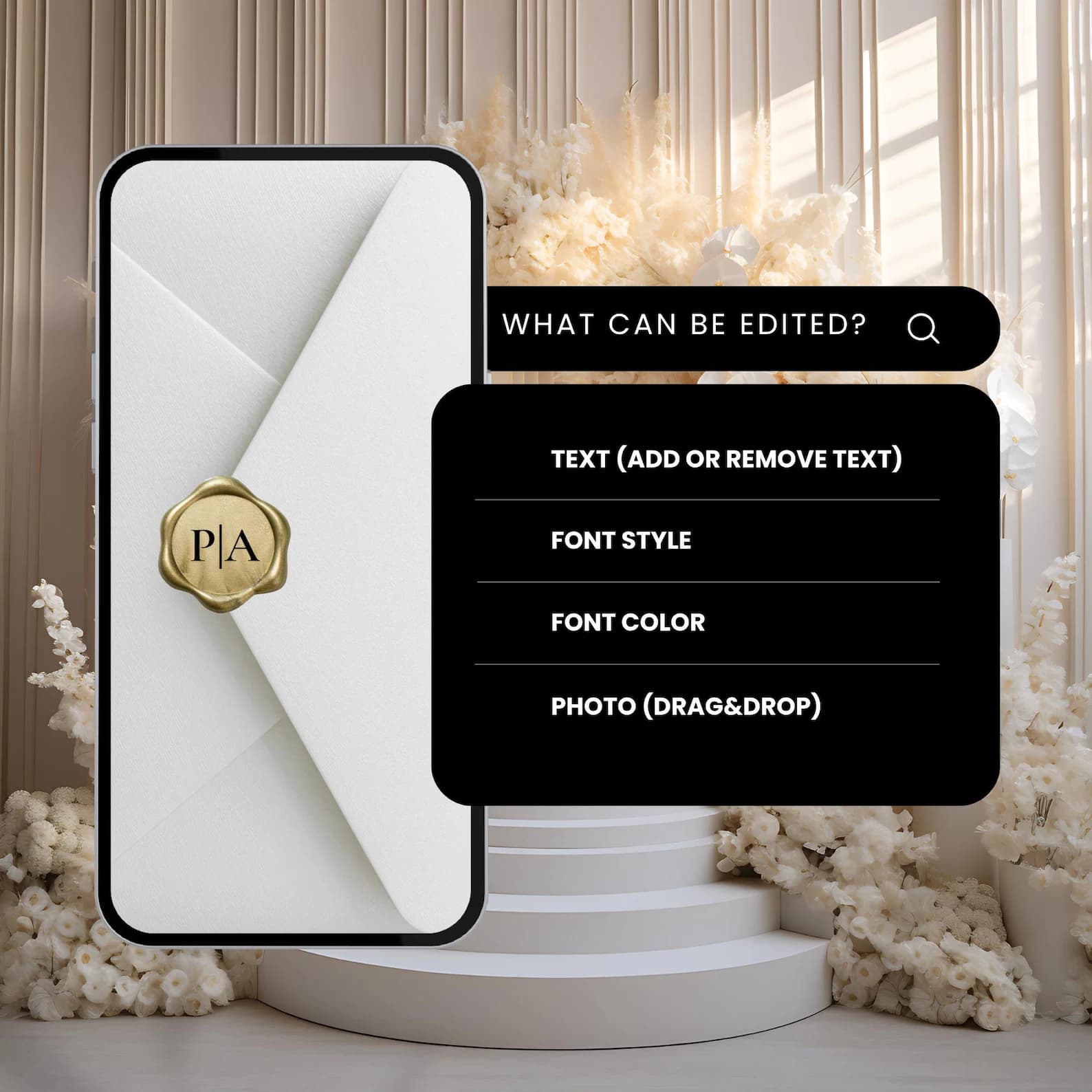
A Canva wedding invitation template is a pre-designed file that opens inside the Canva editor (free or Pro), with all the design work already done. You replace the placeholder names, dates, photos, and music with yours — then export the finished invitation as PDF (for print), PNG (for social), or MP4 video (for animated versions).
Three things to understand before picking one :
- Static vs animated — most Canva templates are static (still images). A growing category is animated — you get an MP4 video as output instead of a flat card.
- Free vs paid — Canva's free library has hundreds of templates. Paid ones (Etsy, Creative Market, stationery studios) are higher quality and less recognizable.
- One file vs full suite — basic templates are just the main invitation. Full suites include matching Save the Dates, RSVP cards, details cards, thank-you cards, and welcome signs — coordinated palette across all pieces.
1. Free Canva wedding invitation templates
Where to find them: open Canva, search "wedding invitation," filter by Free.
What you get: ~400 free templates as of mid-2026. Quality has improved a lot since 2022, but the fonts and elements used are licensed by Canva for everyone — your invitation may look identical to your cousin's wedding from last summer.
Pros
- Genuinely free (no credit card)
- No download — edit in browser
- Export PDF and PNG works on the free tier
Cons
- Limited fonts on the free tier
- Many templates require Canva Pro to access certain images / elements ($12.99/month — a 1-month Pro subscription costs more than buying a paid Canva wedding invitation template outright)
- The "premium feel" templates are almost all Pro-locked
- No music or animation (free static only)
Best for
- Budget weddings under $5K total
- Couples confident in design who can heavily customize
- Couples whose guest list expects "homemade" feel as a feature, not a flaw
2. Paid static Canva wedding invitation templates ($5–25)
Where to find them: Etsy (search "canva wedding invitation template"), Creative Market, Design Cuts.
What you get: a one-click Canva template link, generally with a PDF documentation file. The designer has done the typography work — paired premium fonts (often licensed inside the template), tuned the palette, designed insert cards. Static (no animation).
Pros
- Less recognizable than free templates (~50 buyers vs 50,000 for popular free ones)
- Higher-quality typography and layout
- Often includes matching RSVP card, details card, thank-you card
- One-time fee, unlimited prints
Cons
- Still static — no animation, no music
- Quality varies wildly by seller (read reviews + buy one sample before bulk)
- Some sellers gate certain fonts behind Canva Pro
Best for
- Couples wanting designer feel without designer prices
- Couples printing 50–100 paper invitations
- Couples who do want hands-on customization beyond what free templates allow
3. Animated Canva wedding invitation templates (from $19.99)
Where to find them: stationery studios like Digittify, wedding-focused Etsy shops, Creative Market's video category.
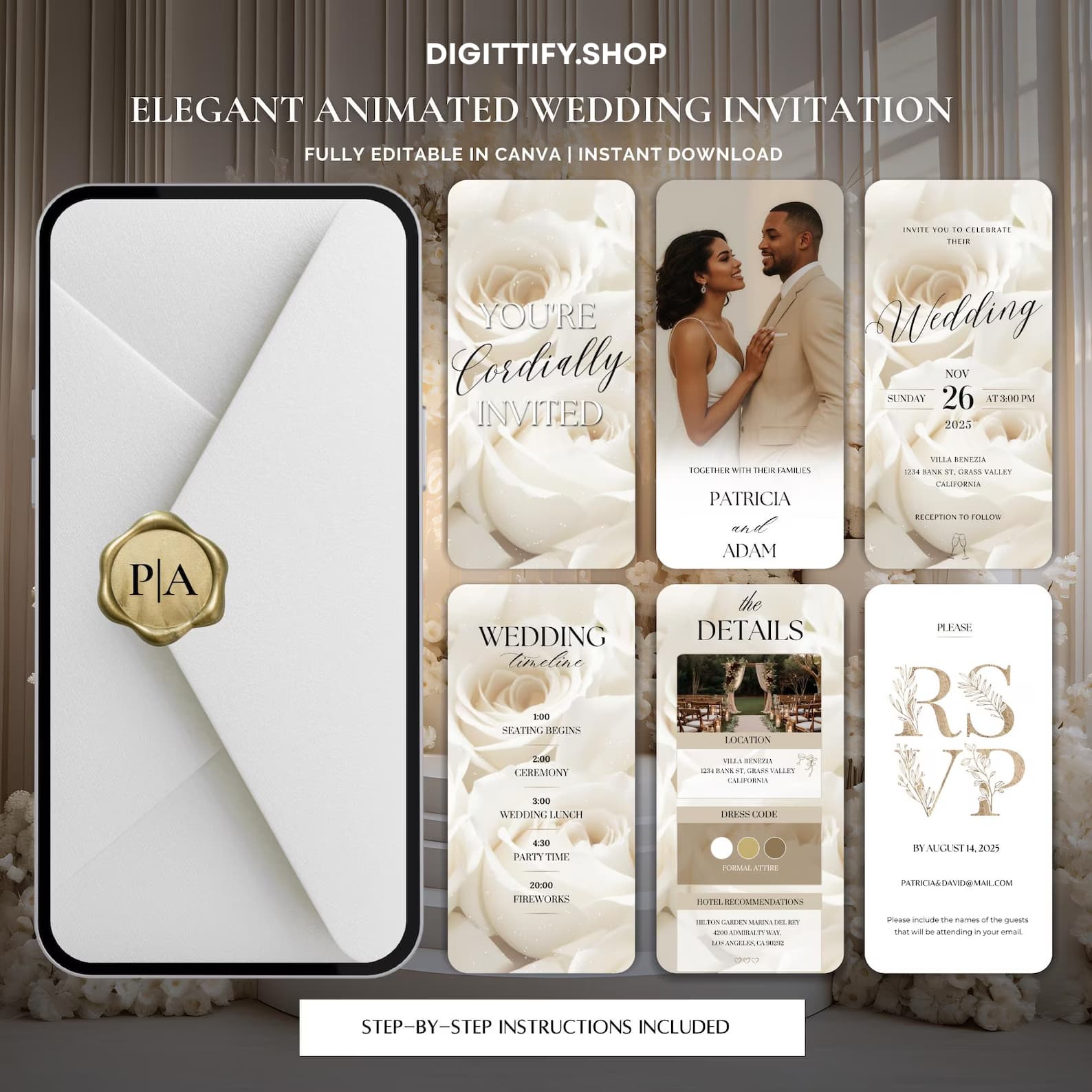
What you get: the template opens in Canva, but instead of exporting to PDF you export to MP4 video — 15-30 seconds of cinematic animation with music. You send it as a video file via WhatsApp, iMessage, email, or QR code. Most include a printable PDF too, so you can print 5-10 keepsake copies for grandparents.
Pros
- Stops the scroll — guests literally screenshot it
- Lands in the thread your guests already use — WhatsApp, iMessage or email
- Single file = no printing, no envelopes, no stamps, no post office trips
- Multi-language ready — same template can run in different languages
- Higher RSVP completion rates (one-tap link vs walking back from the mailbox)
Cons
- Some traditional guests still prefer paper (mitigate by printing 10-20 keepsake copies)
- Less keepsake value than letterpress cotton (mitigate with curated welcome sign + thank-you card on heavyweight paper)
Best for
- Couples 5 weeks or less from the wedding (paper is too risky on that timeline)
- Destination weddings (guests across multiple time zones / countries)
- Modern and bilingual couples
- Anyone who values "screenshot-able" over "mailable"
How to edit any Canva wedding invitation template
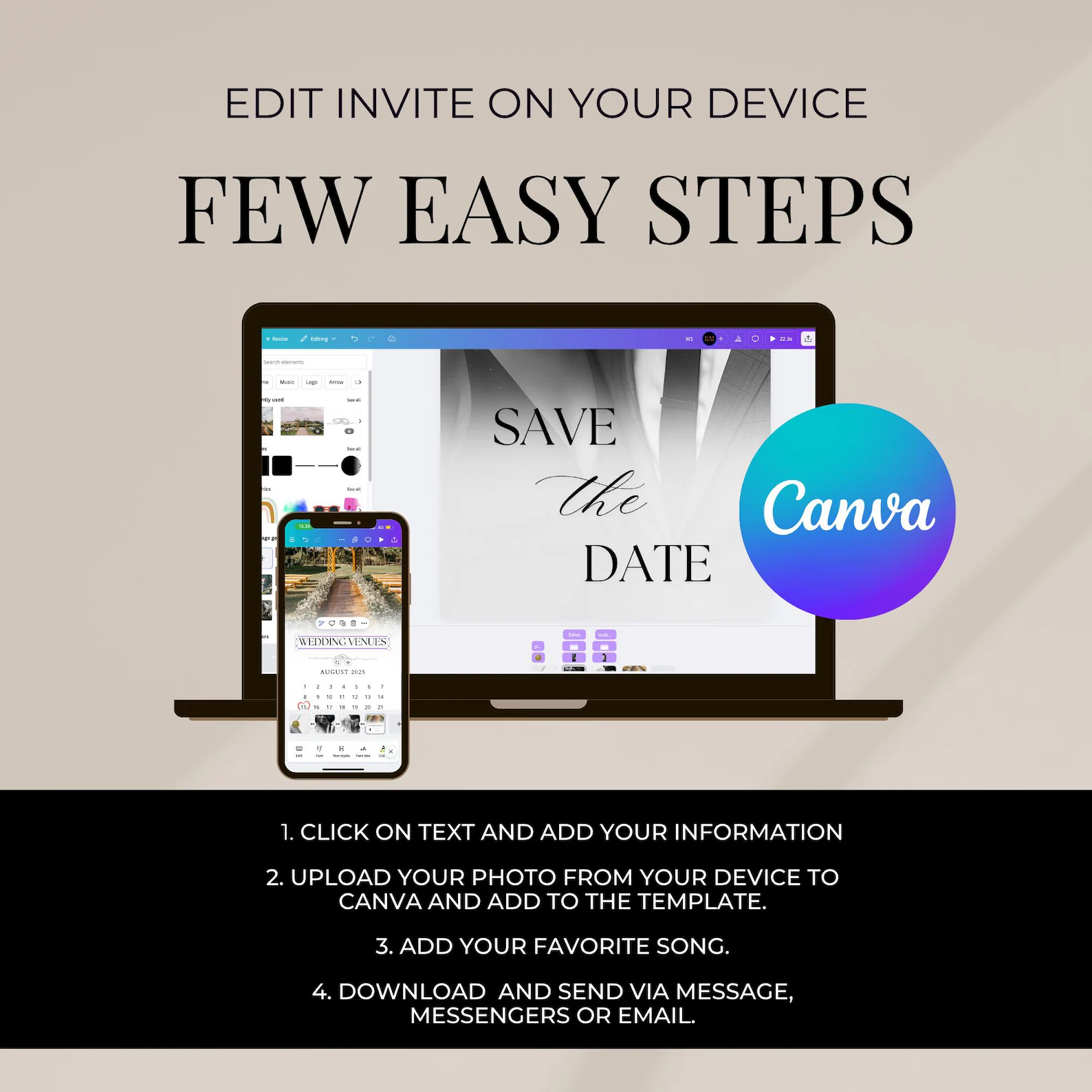
Whether you picked a free, paid, or animated template, the editing flow is identical:
Step 1 — Open the template
Free templates: click "Use template" inside Canva. Paid templates: click the Canva link your purchase email contains — it clones the template into your own Canva account.
Step 2 — Replace names and dates
Click any text field → edit directly. Keep the existing line breaks — designers spaced them deliberately for visual balance.
Step 3 — Swap the photo (if applicable)
Click the photo placeholder → drag your engagement photo from your computer onto it. Canva auto-crops. Use Position → Center to recenter if needed.
Step 4 — Tweak the palette
Open Canva's Styles panel → pick a palette that matches your wedding colors. Click "Apply to all pages" so the palette propagates.
Step 5 — Export
- For PDF print: Share → Download → PDF Print, size A6 or A5
- For social / digital still: PNG, 300 DPI
- For animated MP4: Video MP4 (animated templates only)
The whole flow takes 5–25 minutes depending on how much you customize.
Canva wedding invitation templates: feature comparison
| Feature | Free Canva | Paid static | Animated |
|---|---|---|---|
| Price (one-time) | $0 | $5–25 | From $19.99 |
| Export PDF | ✅ | ✅ | ✅ |
| Export MP4 video | ❌ | ❌ | ✅ |
| Music included | ❌ | ❌ | ✅ |
| Matching RSVP card | ⚠️ Sometimes | ✅ | ✅ |
| Full suite (details, thank-you, etc.) | ❌ | ⚠️ Some | ✅ |
| Multi-language support | ⚠️ Manual | ⚠️ Manual | ✅ Pre-built |
| Print at home | ✅ | ✅ | ✅ |
| Send by WhatsApp / iMessage | Static only | Static only | ✅ Animated |
| Best for | Budget weddings | Mid-range couples | Modern couples, destination, short timeline |
Where Digittify fits
Full disclosure — we make animated Canva wedding invitation templates. We're not the cheapest (Canva free is). We're not the most luxurious (Bella Figura's $2,500 letterpress wins). We sit in the animated + multi-language + full-suite middle, designed specifically for couples who want :
- Send by WhatsApp, iMessage, email, or QR
- Multi-language ready out-of-the-box (English, French, Spanish, Portuguese)
- Coordinated suite (invitation + Save the Date + RSVP + details card)
- 24-hour fix-or-refund guarantee
- Starts at $19.99 (less than one Canva Pro month)
If that fits — browse the templates. If not, the free Canva library is genuinely good and we point you there with no hard feelings.
FAQ: Canva wedding invitation templates
Frequently asked
Yes — Canva's free tier includes ~400 free wedding invitation templates and supports the export tools you need (PNG, PDF). Some elements and fonts are Pro-locked ($12.99/month), but you can usually swap them for free alternatives. Most couples find a usable free template in 15-30 minutes of browsing.
The quality depends on which template. Free templates from Canva's library work but tend to look generic (50,000+ couples use the popular ones). Paid Canva templates from Etsy, Creative Market, and stationery studios are designed by independent designers and look far less recognizable. Animated Canva templates from specialty studios offer the highest production quality.
Three rules: (1) use two fonts maximum — one for names, one for body text. Three or more reads as amateur. (2) Avoid pure black and pure white — use cream, ivory, or warm white instead. (3) Spend 5 minutes tuning the color palette to match your wedding flowers or venue, then apply across all pages.
Static Canva invitations can be shared as PNG or PDF via WhatsApp — works on iOS and Android. Animated Canva wedding invitation templates export as MP4 video, which plays inline in WhatsApp, iMessage, and email — this format has the highest engagement and RSVP completion rates.
Canva Free is enough for most static wedding invitation needs — you get ~400 templates, basic editing, PDF + PNG export. Canva Pro ($12.99/month) unlocks premium fonts, premium elements, brand kits, and the Magic Resize tool (resize a design to multiple formats with one click). For a single wedding, a 1-month Pro subscription is enough — cancel after you export your final files.
Yes. Export as PDF Print at A6 or A5 size, buy 250–300 GSM matte cardstock from Amazon or Staples, and print on any home inkjet or laser printer. Color won't quite match a professional print shop, but the result is solid for casual or backyard weddings. Read our where to print wedding invitations guide for printer comparisons.
With a free template you're customizing heavily: 1–2 hours including font + color tuning. With a paid template designed to be edited: 15-30 minutes. With an animated template that ships pre-customized for botanical / modern / classic palettes: 5–10 minutes.
Related guides
- DIY wedding invitations in Canva — the 30-minute method
- How much do wedding invitations cost in 2026?
- What goes on a wedding invitation — 12 essentials
- Save the date timing guide for 2026 weddings
Ready to start?
If you want to skip the search-and-compare step, browse our animated Canva wedding invitation templates. $19.99 starting, instant download, edit in Canva in 5 minutes, send by WhatsApp or print at home.